For the time-resolved experiment, we have
a special detector which consists of a beryllium-windowed X-ray image-intensifier
and a charge coupled deveice (CCD) as an image sensor. Here is a brief
description of usage of the detector. The detector can store the 2D images
within a time resolution of a few miliseconds. It also has a higher sensitivity
and detective quantum efficiency. It is very useful for an in situ observation of the dynamics. If you want to use this detetor, please ask
the beamline staff in advance.
The detector can be controlled from the Windows
XP machine in the beamline. The following are instructions for usage of
the detector.
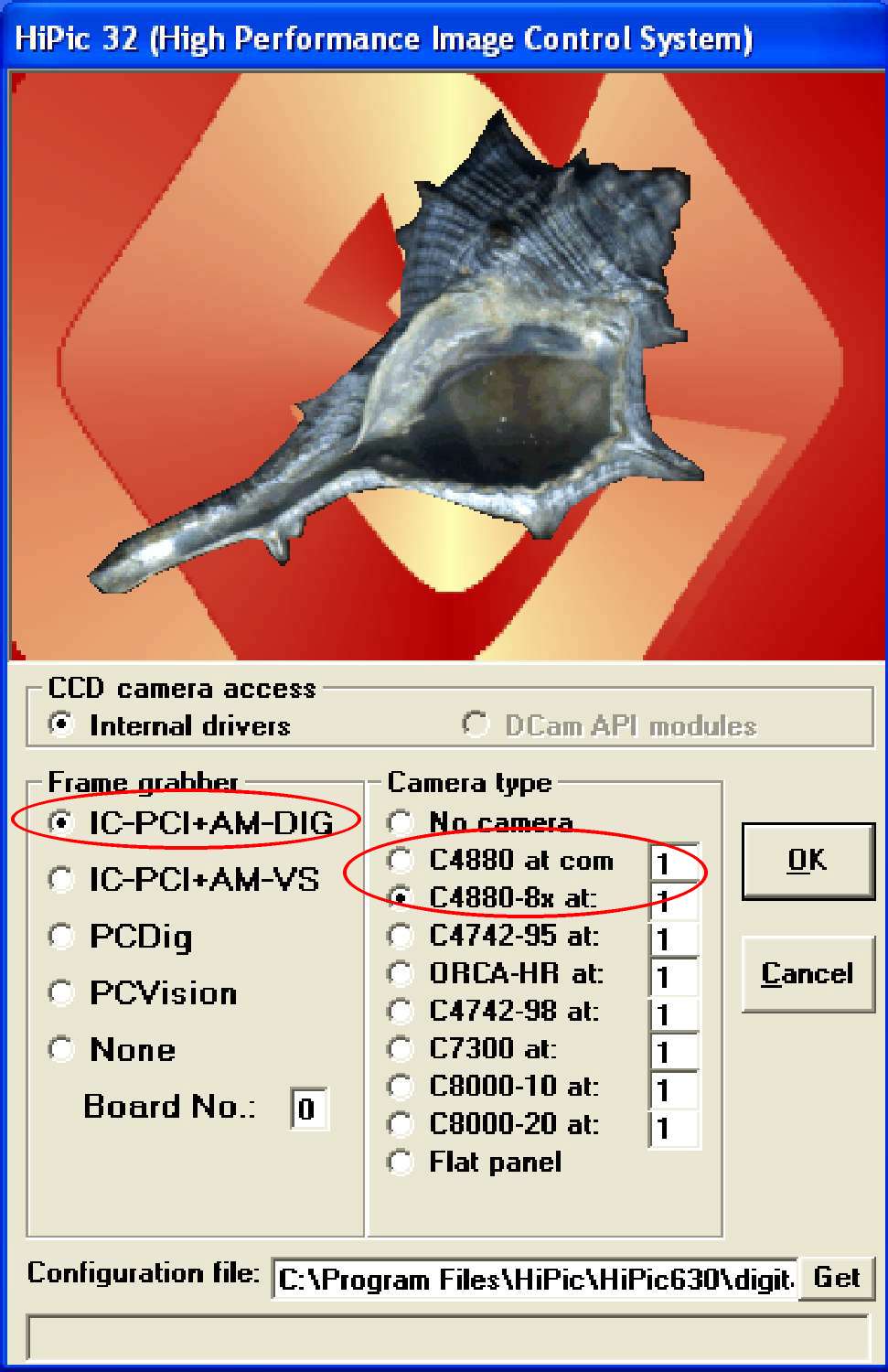
Startup screen of HiPic 6.3.0 (after clicking the short cut on the desktop)
Main screen of the HiPic 6.3.0 with LUT control bar
Setup of the CCD (Main menu
-> Setup -> C4880-80)
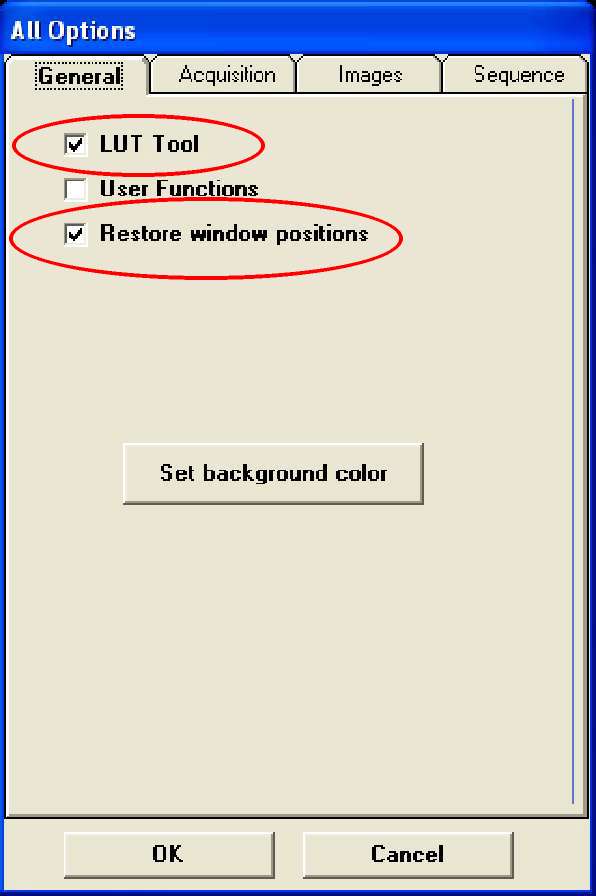
Setup of the other options for
the HiPic 6.3.0 (Main menu -> Setup -> Options)
For Static measurement
For time-resolved measurement
Startup screen
To run the CCD control software (HiPic 6.3.0),
please double-click the icon in the red circle.

Startup screen of HiPic 6.3.0 (after clicking
the short cut on the desktop)
Please select the frame grabber (image capturing board,
select "IC-PCI+AM-DIG") and CCD type ("C4880" for
static measurment or "C4880-8x" for time-resolved measurement).
Don't change the configuration file name in the bottom line.
Main screen of the HiPic 6.3.0 with LUT
control bar
If the CCD is connected correctly, you can see this screen.

Setup of the CCD (Main menu -> Setup ->
C4880-80)
Before using the CCD, you need to set several parameters
from the "Setup" menu.

Please select "OFF" in the "Contrast
Enhancement" menu.

Setup of the other options for the HiPic
6.3.0 (Main menu -> Setup -> Options)
Please set the several optional parameters as follows:



For Static measurement
To measure the image, please select the acquisition mode
(Live, Acquire, and Analog Integration). Next, please select the exposure
time and the amplifier gain of the CCD.

(Start measurement) Push "Live" or "Acquire"
button in the child windows.
(Stop measurement) Push "Freeze" or "Stop"
button in the child window.


For time-resolved measurement


